How to Spot Crypto Scam Emails and Texts: 6 Checks Before You Click
[Security Center] Dear user, we detected an unusual login on your account (IP: 185.**.**.27). To prevent funds from being frozen, please complete identity reverification within 30 minutes here: https://secure-veriiify-acc.top/u/8sk93 . Failing to act will restrict withdrawals. Customer service online 24h.
That text is real. It showed up in a reader’s inbox one morning. No signature, “verify” misspelled as “veriiify” inside the link, the countdown shouting “30 minutes” in your face. It never names a real exchange, yet it still makes you reach for the phone. What it is hunting is the panic, not the trust.
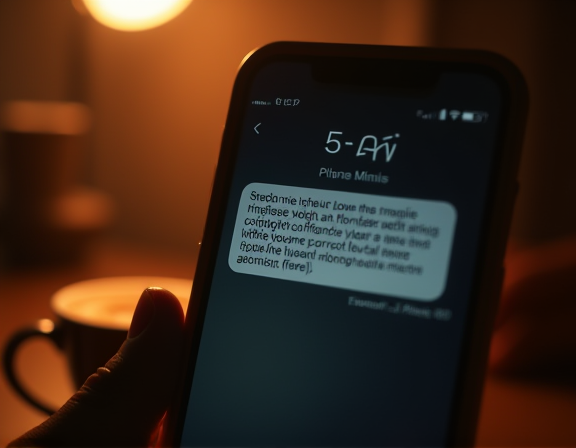
The six checks below should be read with that sample next to them. As a habit, they hold up against more polished versions later, when the design gets better.
1. Read the sender, not the body
The sending number of a text and the sending domain of an email are the real signal. The body is wrapping.
For texts: any sender that looks like a long +8X chain, a mixed alphanumeric string, or a 5–6 digit “short code” deserves a second look. Real platforms route through registered SMS gateways with proper sender IDs. The common impersonation trick is to slam a bracketed phrase up front — [Security Center], [Risk Control] — fake authority no actual institution needs to claim.
For emails, ignore the display name and stare at the part after the @. Is the letter o swapped for a zero, m broken into r-n, or the suffix something like .support, .top, .click that almost no real platform sends mail from? A genuine exchange notification does not arrive from a low-rent TLD.
Back to the sample: it never says which platform it claims to be from. The phrase “Security Center” is the only authority lever, and it is a hollow one. A security alert with no concrete origin is phishing by default.
2. Read the link character by character, not “does it look right”
Most people detect a phishing link by glancing at it, but the attackers built it for the glance. Read the URL the way you would read code: left to right, segment by segment.
- Is the protocol https.
- Where is the actual root domain — the chunk right before
.com / .net / .io?https://safe.binance.com.veriiify-acc.top/...looks like it contains binance.com, but the real root isveriiify-acc.top. The binance.com part is only a subdomain placed there to fool the eye. - Short links at the end —
bit.ly,t.cn,tinyurl, custom redirectors — hide the real destination. Without clicking, copy the URL into a plain notebook and put it next to the official domain you already had bookmarked.
The sample’s secure-veriiify-acc.top/u/8sk93 collects every red flag at once: a .top root, a deliberately misspelled brand-like prefix, and a meaningless path. You don’t need to be technical to see it, you only need to stare two seconds longer than the attacker hoped.
3. When you see a countdown, pause one second
The favorite trick of scam copy is not fear, it is the countdown: 30 minutes, 24 hours, last reminder, about to freeze. The point is to flip you from “thinking” to “reacting.” Once you are busy tapping a link, you stop checking domains.
What does a real platform’s alert look like? Cold, no time pressure: it tells you “we detected an unusual login and have signed that session out automatically; if you want details, sign in at our website” — period. It does not instruct you to take action through an external link. Any “risk notice” that drives you off the messaging channel and into a specific outside URL is phishing until proven otherwise.
If you want to understand why this fear-button works on us, take a look at why crypto causes anxiety and crypto FOMO. Phishing copy is pressing the same human buttons.
4. Do not open attachments, do not install “safety clients”
Texts rarely carry attachments, but phishing email almost always does. Common disguises:
- A “billing PDF” that hides macros and asks for permissions the moment you open it.
- An
.apkor.exeposing as an “official wallet upgrade” that silently replaces your wallet app or hijacks the clipboard so transfer addresses are quietly swapped. - A “phishing prevention handbook” with a respectable filename that opens to a page demanding token approvals.
Memorize one absolute: a legitimate platform never asks you to upgrade a wallet client through an email attachment, and never points you to a “safer build” through a text-message link. Wallets and apps only come from your bookmarked official site or your phone’s official store. This is the same logic covered in fake wallet apps and extensions.

5. Read the email path — the truth in the headers
This step is the most technical, but every modern mail client exposes it: open the full email headers (often “View original” or “Show raw”). Three lines matter most:
- The
From:mailbox displayed to you, versus whatReturn-Path:andReceived: fromsay about the actual sending server. They should belong to the same institution. - The
SPF,DKIM,DMARCverdicts. An email that claims to come from a major platform but fails all three is almost certainly forged. - The sending IP region. Does it fall inside the known mail infrastructure for that platform.
If reading headers feels too technical: your mail client usually surfaces an “unverified sender” or similar red banner at the top. Treat that banner as step 5 done for you.
6. Never reply through the path they offered
The most dangerous moment in phishing is not when it reaches you, it is when it tells you how to respond: click this link, scan this QR, add this support contact, call back this number, share this code. Every channel “offered by the message” is assumed to be controlled by the attacker.
The correct reply path is exactly one: the route you normally take to reach the platform yourself.
- Worried about your account? Open your own bookmark, sign in, check the notifications panel.
- Worried about a withdrawal mentioned in the text? Open the app, look up recent withdrawals yourself.
- Need support? Use only the help center entry posted on the official site — never call the number printed in the message.
The shorthand is simple: let “notification” and “action” live in two separate doorways. If both doors agree, the event is real. If only the scam text is talking, it is fake. For more on this, fake support scams and spotting phishing links fast drive the same “separate the paths” habit into specific scenarios.
The default is: don’t tap
These six checks look tedious, but once wired in they collapse into two words — don’t tap. Any link, attachment, or callback number inside a text or email is by default not the thing you click. Verify via a familiar route that doesn’t depend on this message. Taking the long way around a real notification costs a few extra clicks. One careless tap on a phishing link can be the most expensive signature you ever make outside your private key.
This article is informational, not investment or security advice. Always reach platforms through your own bookmarked entries; never click links inside unsolicited texts or emails.
This article is for education only and is not financial advice. Crypto is volatile and risky — only ever risk what you can afford to lose.