How Brutal Is AI-Era Phishing? A Plain Guide for Regular Users
Early morning, inbox. First email: “Unusual login detected on your exchange account.” Polite, clean layout, tone close to a real account manager. No typos, no awkward grammar. Signature has a profile photo and a direct number. You hover the attachment…
This is everyday phishing in 2026. AI made high-quality forgery essentially free, and the old skills — typos, broken layouts, weird URLs — are losing power fast. This piece lists what is genuinely new and the rules a regular user can still rely on.
What AI actually changed
The most visible shift is content quality. Generative models match the tone of a long-time support contact — phrasing, jargon, context. They quote your “recent transaction” amount and asset. With a sliver of public info — a forum-mentioned on-chain address, your GitHub pattern, an X screenshot — attackers mint phishing “made for you.”
Second: multimodal fakes. AI generates near-real support voice calls, fake video meetings, Telegram chats where a cloned voice talks back before dropping an approval link. Voice cloning needs 3–10 seconds. Real-time deepfake video is already viable.
Third: adaptive conversation. Old phishing was one-shot delivery. Now AI runs as “live concierge bots” — cooling off when you sound suspicious, pushing harder when rushed.

Rules that used to work, retiring now
Before AI, phishing detection relied on a handful of habits — each is degrading:
- Typos: today’s models write smoother than most real support reps.
- Layout: AI HTML mail mimics brand colors, fonts, spacing, even icons.
- Tone: models imitate large chunks of your past correspondence, including company jargon.
- Urgency: still a risk signal, but AI is “urgent without sounding urgent” — “reminder,” “please confirm.”
Implication: content alone is no longer enough. Read the channel, the process, the context.
Rules that still hold
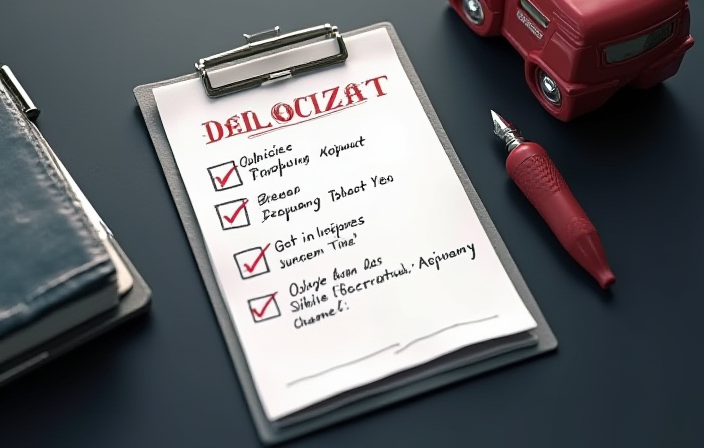
What still works is a small set of channel-and-process rules that do not depend on “how the content feels.”
Rule 1: source verification. Never click an action link inside the email. Enter via your bookmark or official app. Almost the hardest part of an AI attack to bypass — attackers forge content, not the bookmark.
Rule 2: second-channel confirmation. “Transfer / sign / approve now” gets confirmed via another channel: call the front desk, check the back-end for a ticket, @ the actual person. AI fakes one channel, not multiple at once.
Rule 3: small steps as a moat. AI scams fear the user buying reaction time. Cooldowns: large action waits 10 minutes; “approve right now” defaults to phishing. Combine with spotting crypto scam emails and SMS.
Rule 4: never type your seed, key, or 2FA backups anywhere. AI support steers toward “for identity verification please provide…” No legitimate support needs these. See fake support scam.

Residual “machine smell” you can still notice
AI is close to human, but subtle features remain — supporting signals only:
- Over-politeness: AI support writing is tidier than humans, paradoxically off.
- Detail evasion: when not asked, AI prefers “we have processed it” abstractions over concrete operations.
- Strange links: content lies, links rarely do. Hover, read the URL. Domain not official, stop. See spotting phishing links fast.
- Mouth misalignment: deepfake video shows edge artifacts during fast head turns or occlusion.
Treat these as side variables, not safety certificates.
Three habits to harden today
Three picks:
- Bookmark official domains, enter only via the bookmark.
- Cooldown rule: irreversible actions wait 10 minutes. Pair with basic crypto security habits.
- Be skeptical when “support” contacts you first. Real support rarely reaches out to fix problems you have not noticed.
Pin one rule: the more human AI sounds, the more you rely on process, not intuition. Intuition is what AI aims at.
What beats AI phishing is not AI
The instinct is “AI to fight AI” — filters, detectors. They help, but solve probability, not certainty. Two AIs gambling in front of you, decided by who updates training data faster.
What steadies a regular user is rules so simple they need no AI: bookmark-only entry, second-channel confirmation, never type a seed, treat “do it now” as a threat signal. Tech upgraded fidelity, not human nature — the second you panic at a pretty email is still the resource attackers want. Make “slow down” your minimum defense and AI phishing cannot bite past that second. For unfamiliar counterparties, see the Lazarus fake trading bots scam for how “perfect packaging” plays among developers.
Educational, not investment advice. Operate together with your device, platform, and official documentation.
This article is for education only and is not financial advice. Crypto is volatile and risky — only ever risk what you can afford to lose.