How to Keep Family Members From Accidentally Touching Your Crypto
A weekend evening: your kid leans over and says they need to make a slide deck for homework, can they borrow your laptop. You lock the screen, walk away from the couch, and come back to find the browser open, the wallet extension still showing its little fox icon in the corner — and your kid completely unaware, fluently switching tabs to look up references. This isn’t a hacker movie scene. It’s the most ordinary household moment imaginable. But with crypto, a single small misstep in this scene can let a string of seed words walk right out the door.
Your family members aren’t attackers. They have no malicious intent. They probably don’t even know what’s in your accounts. But precisely because they don’t know, their behavior isn’t “defending against hackers”; it’s “ordinary daily life.” Casual screenshots, forwarded photos, helpfully tidying up your files, reading out a verification code at the dinner table. Harmless alone; on a laptop logged into a wallet, a different story.
This piece isn’t about treating family as adversaries. It’s the opposite: keeping family on the safe side of the risk.
The household risks worth naming
Shared devices. A family laptop or old iPad. You’ve used it once to log into a wallet extension or let the browser “remember” an exchange password. The next day someone borrows it. No malice, but one wrong-looking pop-up or one accidentally-granted browser permission, and your end of the asset is no longer locked.
Accidental screenshots and album sync. A family member borrows your phone, your kid records a vlog on your laptop, your partner tidies the photo album. If one frame contains a seed phrase, wallet balance, or exchange screenshot, that image can sync to the cloud and end up in a family chat.
Verbal leaks. Someone mentions over dinner that “yeah, so-and-so in our family is into that Bitcoin thing.” The other person asks how much, and how. A non-crypto family member ends up giving a complete profile of you to a stranger. That profile is the raw material for the precision phishing emails that show up in your inbox six months later.
The home network. Most home routers have never had their default password changed and never had firmware updated. The kid’s old phone, a guest laptop, the smart speaker, the robot vacuum — all on the same internal network. Any one of them, if compromised, can reach further into the network and toward the device you use to manage your wallet.
Family members getting scammed by fake support. A grandparent picks up a call from “exchange risk control.” Your account has an anomaly, and the caller talks them into “verifying something” on the family computer. Their scam-spotting instincts won’t tag this as phishing — they’ll think they’re helping. It’s a household-scale fake support scam.
A family-friendly layered defense
The keyword for household security isn’t “stricter.” It’s “separated.”
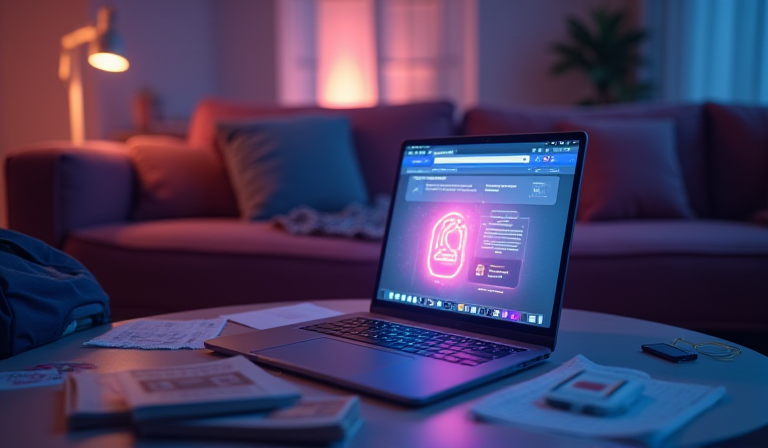
Layer one: physically separate the crypto device from the family device. The “everyone’s laptop” — the one used for homework, video, games — never gets a wallet extension installed, never holds an exchange login, never receives email verification codes. Even for one-off operations, log out immediately afterward.
Layer two: make the wallet device single-purpose. A laptop or old phone that only runs the wallet, email, and a necessary browser. No games, no social apps, never borrowed. A five-year-old laptop is fine — the point is that no family member has ever touched it. Combined with a hardware wallet, this shrinks the attack surface by an order of magnitude.
Layer three: keys and seeds never enter the digital layer. No screenshots, no album, no cloud, no auto-syncing folder. Write them on paper or use a metal seed plate, lock them in a fixed spot at home, and tell family members “don’t touch what’s in there” — no need to explain what it actually is.
Layer four: minimal router hygiene. Change the default password, disable remote management, and if possible put the wallet device on a dedicated guest network.
Layer five: agree on a family code phrase. If anyone receives a call from “the exchange,” “the police,” or “you,” and that caller wants them to touch the computer, read a verification code, or wire money for a “compliance check” — hang up and ping you in the family chat first.
Layer six: leave a minimal “if something happens to me” doc. Don’t write the seed. Just two things: where the assets are physically stored and who to call; and that any call or email about your account goes to one specific family member. Detailed guidance: crypto inheritance planning.

Tiny family-friendly habits
- Before lending a computer, take a second: anything logged in? Log it out.
- Search your phone’s album for “seed,” “private,” “USDT” — delete what shows up.
- Don’t screenshot balances into chats; describe them in words.
- Use a child account on the kids’ device — no extensions, no exposure.
- Stick a card by the phone for grandparents: any call about a wallet, account, or verification code — hang up, ask the family first.
None of these look like security measures on their own. They look like daily habits. With crypto, daily habits are part of the security model.
Security isn’t just about outsiders; it’s also about keeping family on the safe side
Back to the opening scene — your kid borrowing the laptop for a slide deck. The real lesson isn’t “kids are a problem.” It’s: a security model that only considers “defending against hackers” won’t cover your most common risk, because the people most likely to brush against your assets are the people closest to you.
Crypto is unusual because there’s no after-the-fact remedy. A lost bank card can be canceled. A logged-in account can be frozen. But once crypto leaves an address, nobody can pull it back. Every brush is final, regardless of who did the brushing or why.
Keeping family on the safe side isn’t distancing them. It’s making sure your assets never become the thing they accidentally have to carry. You don’t want your kid, ten years from now, remembering “that time I borrowed dad’s laptop” as a quiet weight, or a partner who “just tidied the album” to be the start of a loss, or a grandparent guilt-ridden after one phone call.
The endpoint of family security is that your family, knowing nothing about your crypto, is still completely safe. That kind of invisible separation fits the texture of family life better than any technical detail.
This article is for education only and is not financial advice. Crypto is volatile and risky — only ever risk what you can afford to lose.