What's the Difference Between Cold Storage and Air-Gapped Wallets?
Are cold storage and air-gapped wallets actually the same thing?
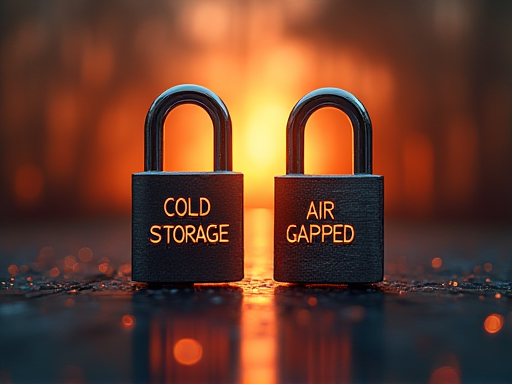
A lot of people assume they are. They aren’t. “Cold wallet,” “cold storage,” “offline wallet,” and “air-gapped wallet” get tossed around interchangeably, and the device you end up buying often falls short of true air-gapping. This piece pulls the two words apart, shows where they overlap and where they don’t, and ends with which form fits which amount.
Pin down the two words
Cold storage: a broad concept covering any setup where the private key isn’t on a connected device. As long as the key isn’t sitting on an internet-reachable phone, computer, or browser extension, it qualifies. A piece of paper with a seed phrase, an old phone that never goes online, a hardware wallet — all of these count in principle.
Air-gapped: a much stricter engineering idea. The device itself is physically separated from any network — no Wi-Fi, no Bluetooth, no USB data cable connecting to other machines. Signing happens through “discontinuous” transfers like QR codes, SD cards, or NFC. The point is “never connected, not even once.”
So the difference is real: cold storage describes the state of the key; air-gapped describes how the device connects. One answers “is the key online?” The other answers “could the device itself ever go online?”
Where they overlap and where they don’t
Overlap: every air-gapped wallet is a form of cold storage. If the device never touches the net, the key obviously never does either.
Where they part: not every cold storage setup actually reaches air-gapped. The common “fake cold” traps:
- A regular hardware wallet sits offline until you sign, then plugs into a networked computer via USB. The key is still in the device — cold storage — but it’s not air-gapped.
- An old phone repurposed as an offline wallet still has Wi-Fi and cellular hardware. One accidental toggle, or one malicious app waking it up, and the gap is gone.
- A seed phrase screenshot sitting in a photo album that auto-syncs to the cloud. The cloud has already put it online.

So cold storage is the big circle, and air-gapped is the tightest slice inside it.
A few common forms
Paper wallet. A handwritten or printed key, locked in a safe or fireproof box. From generation to storage it never touches a device — in theory it’s as cold as it gets. The catch is that it’s “one-way”: to spend, you have to import the key into a wallet app, and it goes hot the moment you do. Paper suits long-term, mostly untouched holdings.
Hardware wallet that plugs into a networked computer for signing. Mainstream picks like Ledger and Trezor mostly fit here. The key never leaves the chip, signing happens inside the device — that’s cold storage. But during signing the device is physically tethered to a networked machine, so it isn’t strictly air-gapped. For most users this is already strong enough. See our hardware wallet selection guide.
Dedicated offline device (true air-gapped hardware wallet). Designed from the start with no wireless modules and no data-cable connection. Signing happens through a built-in camera reading QR codes, or a microSD card shuttling files. The device itself has never been on a network — this is air-gapped in the strict sense. The cost is slower workflows and a steeper learning curve.
DIY offline computer or old phone. Technically capable of being air-gapped, but only if the device has never gone online and never will, and you can sustain that discipline. Most people can’t, so the real-world safety is lower than a purpose-built device.
You can read the spectrum as “degrees of coldness” climbing: paper → mainstream hardware wallet → dedicated air-gapped device. Colder going right, less convenient going right.
Which fits which situation
- Small amounts, frequent use: don’t even bother with cold storage. A reputable hot wallet on a clean phone is enough.
- Mid-sized, long-term, occasionally moved: a mainstream hardware wallet is the best value. Key stays off the network, you only plug in to sign — most attack paths are already closed.
- Amounts where losing it would genuinely hurt: this is where air-gapped starts to make sense. It removes the “physical link during signing” too — useful when you can’t fully trust your computer.
- Institutional or large long-term reserves: an air-gapped device plus geographically distributed seed phrase backups plus multisig is the usual combination at this tier.
The simple test: are you willing to pay several times more in time and learning cost for an extra layer of isolation?
Easily overlooked details
The seed phrase is always the last line of defense. No matter how air-gapped the device is, if you photograph the seed, upload it to the cloud, or hand it to “customer support,” everything upstream is wasted. The device protects “the key never goes online” — guarding the seed is on you.
The device’s origin sets the starting point. A tampered device can have the key pre-known from the moment it’s generated. Buy only from official channels — never secondhand, never opened. This matters even more for an air-gapped device: you think it never connected, but the seller may have “set it up” for you at the factory.
Read the transaction before signing. Even with an air-gapped wallet, the final step is you pressing confirm. A phishing site can dress up an “unlimited approval” as a small transfer — the signing device only executes; it doesn’t judge for you.
Don’t keep everything in one basket. No matter how cold, single-point failure is still a risk. The common approach is to split by proportion: some in a hot wallet for daily use, some in a hardware wallet for mid-term, some in strict air-gapped storage as the long-term vault.
A few common questions
- Is air-gapped unhackable? No. Remote intrusion drops to near zero, but physical coercion, social engineering, and seed leakage still apply.
- I already have a hardware wallet — do I need air-gapped? Depends on the amount. If your holdings are within the budget a hardware wallet can handle, you don’t need to.
- Can I use an old phone as air-gapped? Technically yes, but doing it right is hard: the phone must have never connected since activation, and never will. Most people can’t maintain that discipline.
- Is stricter always better? No. Stricter is slower and more error-prone. A setup you operate reliably beats one that’s “theoretically strongest but scary to use.”
Match it to your amount, not to extremes
Looking back at cold storage versus air-gapped, the difference is really two floors of the same building — the first moves the key off the network, the second moves the device off the network too. Both are good, but stacking them has real costs: slower, pricier, more chances to fumble a step.
The mistake beginners make most often isn’t “the setup wasn’t cold enough.” It’s “trying to be maximally cold, getting confused, and mishandling something.” So more extreme isn’t better — the right fit for your amount is what’s good. Hold the line at “key never on a connected device,” then move up the air-gapped ladder gradually as your holdings grow. This article is for education only, not financial advice.
This article is for education only and is not financial advice. Crypto is volatile and risky — only ever risk what you can afford to lose.